


In an increasingly competitive environment, SEO plays a growing role in search engine rankings. As a result, companies must find effective ways to differentiate themselves. Leveraging smart strategies and optimization techniques is essential to gain visibility and stand out from the crowd.
As a web-marketing specialist, you probably strive every day to reach the top position in search results. But did you know that it’s possible to aim even higher?
Today we are talking about Google position zero, a technique for ranking higher than your competitors on Google are!
What is Google position zero?
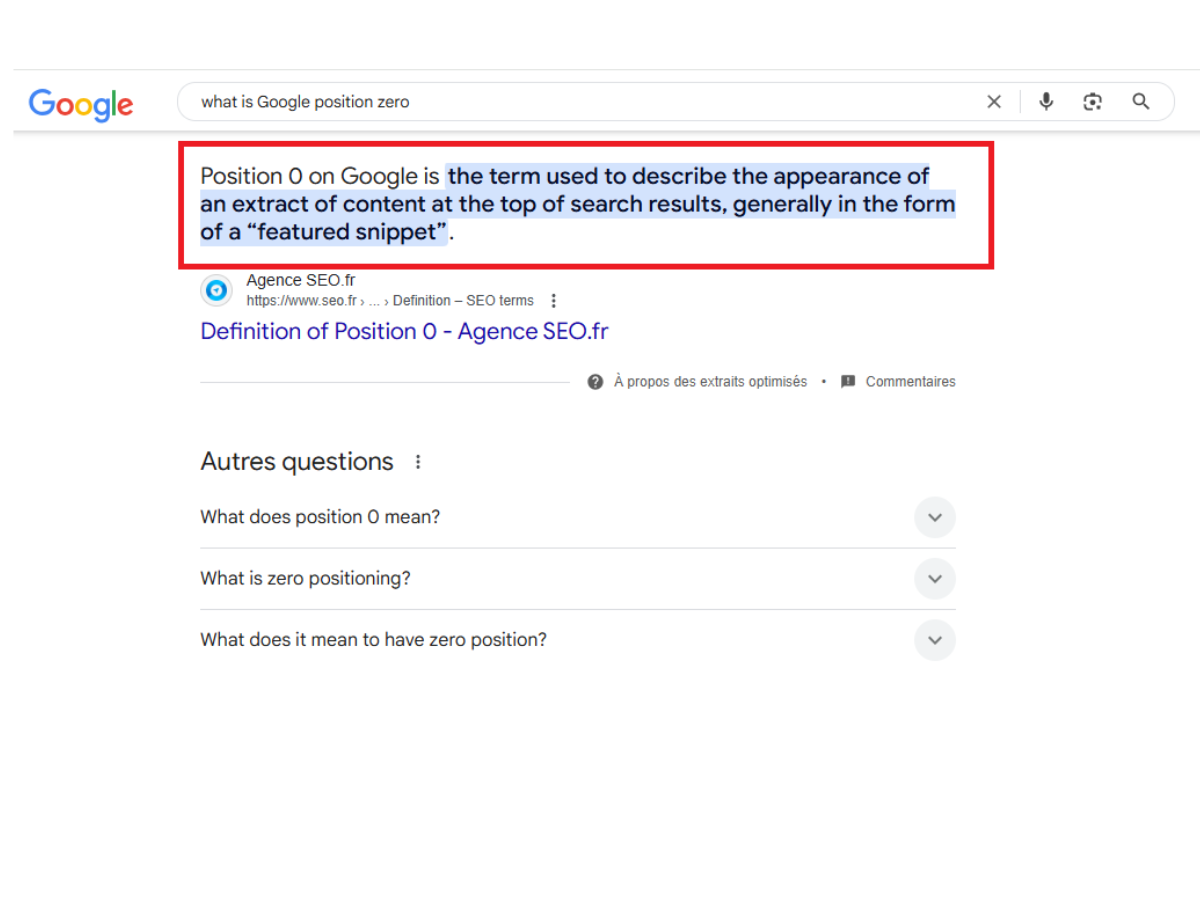
Position 0, also known as the Google answer box or featured snippet, appears at the very top of the search results page. It provides a concise answer to a user’s query, pulled directly from a relevant webpage.
This box appears as an answer when a user asks a question in the search bar.
For example, thousands of results are displayed when you search for “bank marketing automation,” but only one result stands out: the box in position 0.
The snippets offered can take several formats depending on the type of content: a paragraph, an ordered list, a table, or even a video.
With this display, Google highlights an excerpt from your page in the SERP (Search Engine Result Page), which greatly improves visibility and therefore traffic.
The steady growth of featured snippets
Featured snippets are not yet available for all queries, but they have been growing steadily since their creation in 2014.
In 2015, the percentage of queries that generated Featured snippets represented only 3.8% of search results, whereas in May 2017, it was over 20%.
Faced with this exponential growth, companies have a strong interest in optimizing their content in the hope of seeing it highlighted in search results.
How to achieve Google position zero?
Here are five essential steps to highlight your content via featured snippets.
Step 1: Determine whether the suggested snippets are relevant to your business
Although their prevalence is growing rapidly, featured snippets do not yet appear for all queries entered into Google.
Certain sectors, such as tourism, catering, and fashion, have very few featured snippets displayed for their related queries. This is largely due to the dominance of Google Maps or Google Shopping results, which take priority for these types of searches.
This is why, in the case of tourism for example, it would be more beneficial to focus your efforts on optimizing local SEO rather than trying to reach Google position Zero.
To help you determine whether position zero is worthwhile for you, here are some figures:
According to Rank Ranger’s Search Engine Labs, keywords belonging to the following sectors generate the most featured snippets in search results:
- Health and fitness: 40.6%
- Financial services: 36.7%
- Business services: 35.5%
- Technology and IT: 34.6%
- Pets: 30.3%
Meanwhile, in the following sectors, the prevalence of position 0 (zero) is low:
- Consumer goods and services: 3.2%
- Style and fashion: 4.3%
- Travel: 5.9%
Please note that being in a sector where queries do not currently generate answer boxes does not necessarily mean that it is impossible to reach position zero. It simply means that it will require more effort or may take longer. With the rapid growth of featured snippets, keep in mind that they may not be available in your sector today, but they may be in six months!
Step 2: Choose queries that are relevant to your business
Once you have determined that your business has every interest in reaching position 0 (zero), it is time to search for the most relevant queries for your industry.
To find the best queries for your industry, try AnswerthePublic.com or Moz Keyword Explorer.
Alternatively, you can simply search for your queries on Google to get inspiration from the additional questions that will appear in the results:
Generally, the queries that work best are specific, moderately long questions (more than 6 words).
To put the odds in your favor, here are the characteristics of the queries you should follow.
Question-oriented queries
Featured snippets appear when users enter questions rather than just keywords. This does not mean that you should only write simple definitions such as: “What is inbound marketing?” or “What is digital marketing?”
Be aware that the selected snippets generally answer the 5 Ws: who, what, how, why, where and when (e.g., “What is an SEO strategy?” “How do I optimize my website?”) Or more specific questions such as “Does inbound marketing work?”
So, tackle more complex topics rather than simple definitions (which can easily be found in dictionaries) to have a better chance of reaching position 0.
High-volume search queries
To get quick results, and since Google has not yet rolled out its technique for all queries, it is best to focus on popular queries. To do this, feel free to use Google Trends or test several variations in Google until you find the one that generates position 0.
Long queries (more than 6 words)
As mentioned above, the queries chosen must correspond to questions, which are often very specific and comprehensive.
Short queries of one or two words usually generate dictionary definitions, which Google considers public data.
Step 3: Decide on the type of snippet you want to use
Once you have identified your list of specific queries and questions, it is time to decide which type of snippet will best answer your question and highlight your content.
There are four types of featured snippets: paragraphs, lists, tables, and videos. Each page is unique with different HTML code, so it is important to decide how you want your content to appear before you start writing.
Example of featured snippets:
Paragraphs
The most commonly used type of snippet is undoubtedly the single-paragraph answer. This provides the user with a precise answer written in a few lines containing keywords related to their query.
Lists
Results presented as numbered lists are generally used to answer questions from users searching for a way to accomplish a specific task. This query prompts Google to present a list of detailed instructions
To ensure your content is displayed as a list, your page code must contain the following HTML tags:
<h1> <h2> <h3> for headings;
“Step #” to indicate to Google that you are using a numbered list;
<li> (list), <ol> (ordered list), <ul> (unordered list).
Tables
Tables are displayed when users want to compare products or search for prices.
To enhance your content in table form, it is important to have data in rows and columns, which is why the <table> tag is essential.
Videos
Featured snippets in video format are rarer but exist for certain queries requiring a video tutorial.
Google then puts YouTube videos at the top of the list with the option to play the video directly on the search page.
Step 4: Optimize your site for your queries (keywords)
Regardless of the size of your site, you can make changes to certain pages to highlight them and maximize your chances of reaching position 0 (zero).
Read also: SEO vs Google Ads: Which strategy is better for your business?